Permanently remove text from a PDF.
With Excise PDF, redaction is a short workflow: mark what should go, review it, redact it, and check the saved copy.
The six steps
- Open the PDF. Processing stays on your device.
- Mark what should go. Use automatic findings, select text to search for one or every occurrence, add your own terms, or draw a rectangle over an area.
- Review the matches. See each one in context and uncheck anything you want to keep.
- Review hidden data. Fourteen supported categories are cleared by default.
- Redact. Excise removes the selected content and writes a separate copy. Your original stays unchanged.
- Check the copy. Excise reopens the saved result and shows Verified, Review required, or Not verified.
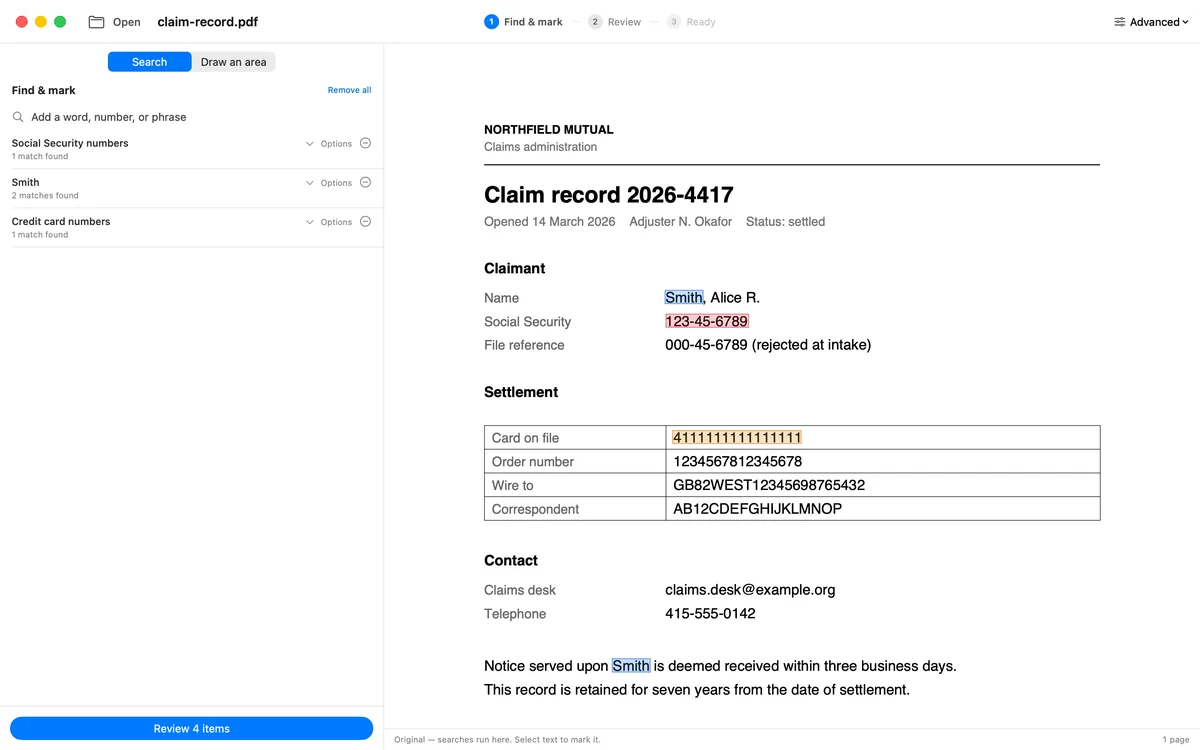
Review each match in context before you redact.
What “permanent” means here
Matched text is removed from the PDF page content instead of hidden behind a removable mark. Excise clears the hidden-data categories you selected, writes a separate copy, then reopens that copy and reports what it finds.
Excise PDF is available for Windows, Mac, iPhone, and iPad.